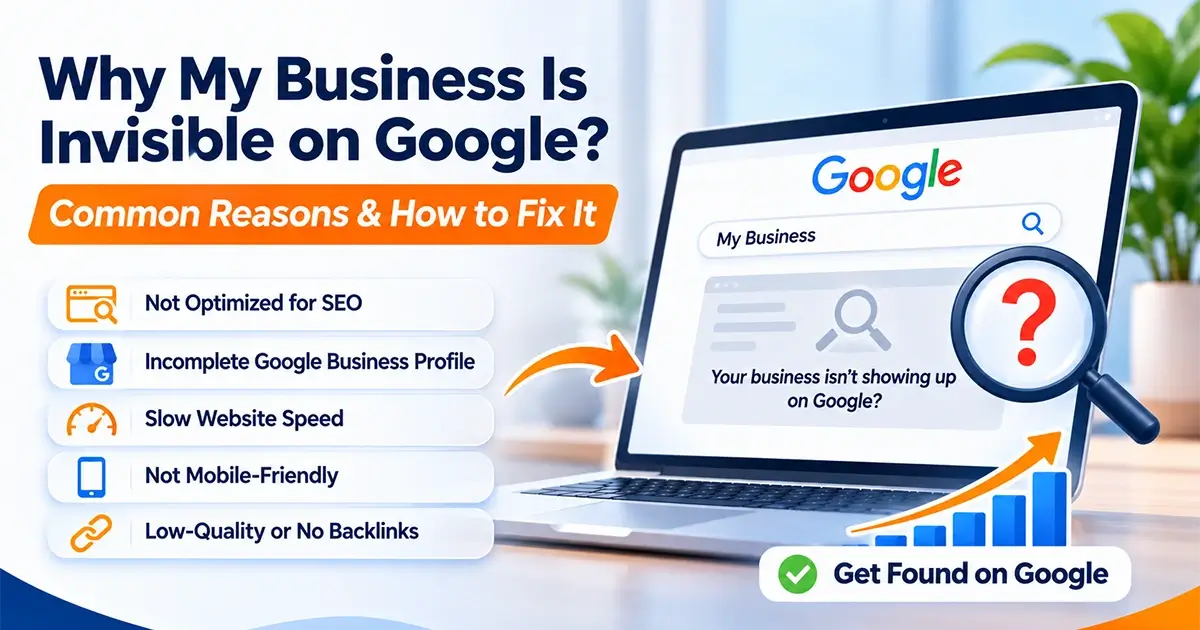
You have a website, offer great products or services, and want to attract more customers. But when you search for your business on Google, you cannot find it—or your competitors appear before you.
Sound familiar?
If your business is not showing up on Google, you could be missing valuable opportunities to attract potential customers. The problem might be related to website indexing, SEO, content quality, local search optimization, website performance, or your competitors’ online presence.
The good news is that many of these issues can be identified and improved with the right approach.
In this guide, we will explain seven common reasons your business may not appear on Google, show you how to identify the underlying problem, and share a practical 90-day plan to improve your website’s search visibility.
Table of Contents
- Why Is My Business Not Showing Up on Google?
- Seven Common Reasons Your Business Is Invisible
- How to Check Whether Google Has Indexed Your Website
- How to Improve Your Google Search Visibility
- A Practical 90-Day SEO Improvement Plan
- Common SEO Mistakes to Avoid
- Frequently Asked Questions
- Final Thoughts
1. Why Is My Business Not Showing Up on Google?
When people search for products or services you offer, Google tries to show pages that are relevant to their queries.
If your business is missing from the results, it does not necessarily mean your website is broken.
There are several possible explanations:
- Google has not indexed your website or important pages.
- Your website content does not clearly explain your services.
- Your competitors have more relevant content or stronger online authority.
- Your Google Business Profile is incomplete or unverified.
- Your website has technical SEO problems.
- Your website performs poorly on mobile devices.
- Your business has limited online reviews, mentions, and relevant links.
Understanding which problem affects your business is the first step toward finding the right solution.
For example, creating more blog posts will not solve a technical issue that prevents Google from indexing your pages. Similarly, improving website speed alone will not automatically make you rank first.
The goal is to identify the actual problem before investing time and money in SEO activities.
2. Seven Common Reasons Your Business Is Invisible on Google
Reason 1: Google Has Not Indexed Your Website
Google needs to discover and index a page before it can normally appear in organic search results.
Indexing means that Google has processed a page and stored it in its search index. However, discovering a page does not guarantee that Google will index it.
If your website is new or recently redesigned, some pages may not have been indexed yet.
Other possible causes include:
- Accidental noindex settings
- Pages blocked by robots.txt
- Broken internal links
- Incorrect canonical tags
- Server errors
- Redirect problems
- Poor internal linking
How to Fix It
Start by checking your website’s indexed pages.
Step 1: Search Google using site:yourdomain.com, replacing yourdomain.com with your actual domain.
This provides a quick indication of which pages Google has indexed, although it is not a complete indexing report.
Step 2: Open Google Search Console and verify your website property.
Step 3: Review the Page Indexing report to identify pages that Google has not indexed and the reported reasons.
Step 4: Inspect important pages individually using the URL Inspection tool.
Step 5: Fix any technical problems you identify and request indexing for eligible pages when appropriate.
You should also ensure that your XML sitemap is accessible and submitted through Search Console.
Important: Requesting indexing does not guarantee that Google will index a page or display it in search results.
Reason 2: Your Website Is Not Properly Optimized for SEO
Having a website is not enough. Search engines need to understand what your business does, which customers you serve, and which questions your content answers.
Suppose you own a digital marketing agency that provides SEO, website development, and social media marketing.
If your website only contains a generic homepage with a few sentences about your services, Google may have limited information to match your pages with specific customer searches.
Your competitors might have detailed service pages that answer those questions more clearly.
How to Fix It
Start by reviewing the most important pages on your website.
Each page should have:
- A clear, descriptive heading
- Helpful and original content
- A relevant SEO title and meta description
- A logical heading structure
- Descriptive image alt text where appropriate
- Relevant internal links
- A clear next step for visitors
For example, instead of describing all your services on one page, create dedicated pages for website design, WordPress development, SEO services, and digital marketing if those are services your business offers.
Each page should explain the service, its benefits, who it is suitable for, and how customers can get started.
Avoid repeating keywords unnaturally. Write for people first and use relevant search terms naturally throughout your content.
Reason 3: Your Business Is Missing From Local Search Results
If you run a local business, customers may search for services alongside a city or neighbourhood.
Examples include:
- Website designer in Mumbai
- Dentist in Thane
- Interior designer in Vasai
- Digital marketing agency near me
For relevant local searches, Google may display a map with business listings alongside ordinary website results.
If your business does not appear in this section, your Google Business Profile may need attention.
Local search visibility depends on factors including relevance, distance, and prominence. You cannot pay Google to guarantee a higher local ranking.
How to Fix It
Review your Google Business Profile and check the following:
- Your profile is verified, where verification is required.
- Your business name accurately reflects your real-world business.
- Your primary business category is appropriate.
- Your contact information is accurate.
- Your business hours are up to date.
- Your services and description are complete.
- Your profile includes genuine, relevant photos.
- You respond professionally to customer reviews.
If you serve customers at their locations rather than at a customer-facing office, configure your service area and address visibility according to Google’s guidelines.
Keep your business information consistent across your website and relevant directories.
Do not create fake business locations or duplicate profiles to manipulate rankings.
Reason 4: Your Website Content Does Not Match Customer Searches
One common SEO mistake is writing content about what a business wants to promote instead of what potential customers want to know.
Imagine that you provide website development services.
Your audience may search for:
- How much does a business website cost?
- How long does website development take?
- What is the difference between WordPress and custom development?
- How can I improve my website’s Google ranking?
If your website does not answer these questions, you could miss opportunities to attract relevant visitors.
How to Fix It
Research the questions your potential customers ask before purchasing your services.
You can use Google autocomplete, related searches, Search Console data, and keyword research tools to identify relevant topics.
Then create useful content around those topics.
For example, a web design company could publish articles about:
- Website design costs
- Website redesign warning signs
- WordPress versus custom development
- Common website speed problems
- SEO mistakes that affect small businesses
- Landing pages that help generate leads
Organize your articles into relevant categories and link them to related service pages.
The objective is not simply to publish more content. It is to publish useful content that meets a genuine audience need.
Reason 5: Your Competitors Have Stronger Online Authority
Google evaluates more than the text on your website.
For local businesses, prominence can be influenced by factors such as online reviews and information about the business across the web. In organic search, relevant links and the quality of your content can also contribute to your website’s competitiveness.
Your competitors may have:
- More genuine customer reviews
- Stronger industry-related websites linking to them
- More comprehensive service pages
- Useful articles that answer customer questions
- Consistent business listings
- A longer-established online presence
This does not mean you need to copy your competitors or collect as many links as possible.
How to Fix It
Build your online credibility gradually.
Encourage genuine reviews: Ask customers to share honest feedback about their experience. Never buy fake reviews or offer incentives that violate platform policies.
Create useful resources: Publish original guides, case studies, and practical information that people in your industry may want to reference.
Build relevant relationships: Participate in genuine industry associations, business communities, and partnerships where your business can earn relevant mentions.
Keep business information accurate: Check your details on important directories and listings.
Show real experience: Where appropriate, demonstrate your work through project examples, testimonials, and clear explanations of your process.
Building authority takes time. Focus on credibility and relevance rather than shortcuts.
Reason 6: Your Website Is Slow or Difficult to Use on Mobile
Many customers discover businesses using smartphones.
If your website loads slowly, displays incorrectly, or makes it difficult to contact you, visitors may leave before exploring your services.
Common problems include:
- Oversized images
- Excessive scripts
- Poorly configured caching
- Unnecessary plugins
- Layout shifts during loading
- Small text and difficult navigation
- Buttons that are hard to tap
- Forms that do not work correctly on mobile devices
Website performance is important for user experience and can contribute to search performance. However, a fast website is not automatically guaranteed to outrank slower competitors.
How to Fix It
Review your website on desktop and mobile devices.
Use Google PageSpeed Insights to evaluate performance and identify possible improvements.
Depending on the issues found, you may need to:
- Compress and properly size images.
- Use modern image formats where appropriate.
- Reduce unnecessary JavaScript and CSS.
- Configure caching.
- Improve hosting performance.
- Remove unused plugins and scripts.
- Fix layout shifts.
- Improve mobile navigation and form usability.
Pay particular attention to your homepage, main service pages, and contact page.
A technically sound website gives visitors a better experience and provides a stronger foundation for SEO.
Reason 7: Your Website Has Technical SEO Problems
Some search visibility issues are not obvious when you browse your website.
A page may look perfectly normal to a visitor while containing technical settings that interfere with search engines.
Examples include:
- Incorrect canonical URLs
- Duplicate pages
- Broken redirects
- Missing or incorrect sitemap entries
- Unintended noindex directives
- Pages returning server errors
- Poor internal linking
- Incorrect robots.txt rules
These issues can occur during website redesigns, migrations, plugin changes, or routine development work.
How to Fix It
Conduct a technical SEO review.
Check that:
- Important pages return the correct HTTP status.
- Search engines can access pages intended for indexing.
- Canonical tags point to the appropriate URLs.
- Internal links do not lead to broken pages.
- Redirects are configured correctly.
- Your XML sitemap contains appropriate URLs.
- Important pages can be reached through your website navigation and internal links.
If you use WordPress, review your SEO plugin settings and verify that important pages have not accidentally been marked as noindex.
After a website migration, monitor Search Console for indexing errors and unexpected changes in search performance.
3. How to Check Whether Google Has Indexed Your Website
Before making major changes, find out whether your website and its important pages are indexed.
Here is a simple process.
Step 1: Search for Your Website
Enter this into Google:
site:yourdomain.com
Replace the example domain with your website address.
If you see your homepage and several important pages, Google has indexed at least some of your website.
Remember that this search is only a rough check. Search Console provides more reliable diagnostic information.
Step 2: Open Google Search Console
Visit Google Search Console and select your verified website property.
Review the Page Indexing report to see which pages are indexed and which are excluded.
Investigate the reasons for exclusion before assuming every unindexed page is a problem. Some pages, such as duplicates or intentionally excluded pages, may not need indexing.
Step 3: Inspect Your Important URLs
Use the URL Inspection tool to examine your homepage and main service pages.
Check whether Google has indexed each URL and review any reported issues.
Step 4: Check Your Sitemap
Make sure your XML sitemap is accessible and submitted in Search Console.
If you use WordPress with an SEO plugin, confirm that the sitemap contains the appropriate pages and does not unnecessarily include low-value URLs.
Step 5: Review Your Search Performance
Use the Search Console Performance report to examine impressions, clicks, search queries, and the pages receiving visibility.
This can help you distinguish between a page that is not indexed and one that is indexed but receives few impressions.
These situations require different solutions.
4. How to Improve Your Google Search Visibility
Once you have identified the problems, prioritize improvements based on their likely impact.
Improve Your Website Structure
Make it easy for users and search engines to navigate your website.
Organize pages logically, use descriptive navigation labels, and link important service pages from relevant areas of your website.
Create Dedicated Service Pages
Give each important service its own page when the service warrants a separate explanation.
Include useful information about what you offer, who you serve, your process, and how potential customers can contact you.
Avoid creating large numbers of nearly identical pages solely to target different locations or keyword variations.
Publish Helpful Blog Content
Use your blog to answer genuine customer questions and demonstrate relevant expertise.
A good article should provide practical information, use clear headings, and link to related pages when those links genuinely help the reader.
Improve Your Local SEO
If your business serves a particular area, maintain an accurate Google Business Profile and make your service areas clear on your website.
Build a consistent reputation through genuine reviews and reliable business information.
Improve Website Performance
Test key pages and fix the performance issues that matter most to visitors.
Ensure that your website works well across common browsers, devices, and screen sizes.
Measure Your Progress
Use Google Search Console and relevant analytics tools to track changes in visibility and visitor behaviour.
Monitor meaningful indicators such as:
- Search impressions
- Organic clicks
- Queries bringing visitors to your website
- Performance of individual service pages
- Relevant enquiries and conversions
- Local profile interactions, where available
Do not judge your entire SEO strategy by one keyword or a single day’s ranking.
5. A Practical 90-Day SEO Improvement Plan
SEO improvements are easier to manage when you divide them into achievable stages.
The following plan is a starting framework. The amount of work required will depend on your website, industry, competition, and current search visibility.
Days 1–30: Fix the Foundation
Goal: Make sure Google can discover and understand your important pages.
Prioritize these tasks:
- Set up and verify Google Search Console.
- Review indexing problems affecting important pages.
- Check your XML sitemap and robots.txt configuration.
- Fix broken links, incorrect redirects, and accidental noindex settings.
- Review your Google Business Profile if local search matters to your business.
- Test website performance and mobile usability.
- Record your current search impressions, clicks, and relevant enquiries.
Checkpoint: You should have a clear picture of your technical issues, important indexed pages, and current search performance.
Days 31–60: Improve Content and Relevance
Goal: Help your website match the searches your potential customers make.
Focus on these improvements:
- Review your main service pages.
- Improve page titles, headings, and descriptions.
- Add useful details that answer customer questions.
- Create dedicated service pages where appropriate.
- Publish relevant, original blog articles.
- Add internal links between related articles and service pages.
- Improve your contact forms and calls to action.
Checkpoint: Your important pages should communicate your services more clearly, and Search Console can begin showing how they perform for relevant queries if they are indexed and receiving impressions.
Days 61–90: Build Credibility and Measure Results
Goal: Strengthen your online presence and identify the next opportunities.
Work on the following:
- Encourage genuine customer reviews.
- Correct inaccurate business information on relevant listings.
- Build relationships that can generate relevant business mentions.
- Review which articles and service pages receive search impressions.
- Improve titles and descriptions on pages that receive impressions but few clicks.
- Examine which pages generate relevant enquiries.
- Compare your latest data with the baseline recorded during the first month.
Checkpoint: At the end of 90 days, prepare a performance review showing completed improvements, changes in visibility, enquiries generated, and the next priorities.
Important: This plan is designed to improve the foundations of search visibility. It does not guarantee first-page rankings, a specific traffic increase, or a fixed number of leads within 90 days.
6. Common SEO Mistakes to Avoid
While working to improve your website’s Google visibility, avoid these common mistakes.
Expecting Immediate Results
SEO is not an instant process. Search engines need to discover and process changes, and competition can affect the results.
Stuffing Keywords Into Every Paragraph
Repeating the same phrase excessively can make your content unnatural and unhelpful.
Use relevant search terms naturally and focus on answering the reader’s question.
Publishing Low-Quality AI Content
AI tools can assist with research, outlines, and editing, but automatically producing large volumes of unoriginal content can create quality problems.
Review facts, add useful insights, and make sure every article serves a real audience need.
Ignoring Existing Website Problems
Publishing new content will not necessarily solve indexing errors, broken pages, or major technical issues.
Check your website’s foundations before investing heavily in content production.
Buying Backlinks or Fake Reviews
Artificially manipulating links or reviews can damage credibility and violate platform policies.
Build authority through legitimate business activity and useful content.
Measuring Only Keyword Rankings
Rankings can vary by location, device, query, and time.
Monitor search visibility alongside relevant website visits, enquiries, calls, and other business outcomes.
7. Frequently Asked Questions
Why is my website not appearing on Google?
Your website may not be indexed, your pages may not match relevant searches, or technical SEO issues may prevent Google from accessing important content. Start by checking Google Search Console and inspecting your most important URLs.
How long does it take for a website to appear on Google?
There is no guaranteed timeframe. Google may discover and index eligible pages within days, but it can take longer. Being indexed also does not guarantee that your pages will rank prominently for competitive keywords.
Why is my business not showing on Google Maps?
Your Google Business Profile may be unverified, incomplete, ineligible, or insufficiently relevant to the search. Check your profile status, business category, service information, and eligibility requirements. Local visibility also depends on factors such as distance and prominence.
Does having a website guarantee Google rankings?
No. A website provides an online presence, but search visibility depends on many factors, including content relevance, indexing, technical quality, competition, and authority.
Can SEO help a small business compete with larger companies?
Yes. A small business can improve its chances by targeting relevant customer needs, creating helpful content, maintaining accurate business information, and providing a strong website experience. Results depend on the market and level of competition.
Should I redesign my website if it is not ranking on Google?
Not always. A redesign may help when the website has significant usability, performance, content, or technical problems. However, a new design alone does not guarantee better rankings. Audit the existing website first to identify what actually needs to change.
Can a WordPress website rank on Google?
Yes. WordPress websites can perform well in search results when they have useful content, appropriate technical SEO, good performance, and a structure that helps visitors and search engines understand the pages.
How can I check whether my SEO efforts are working?
Use Google Search Console to monitor impressions, clicks, and search queries. Combine that information with analytics and enquiry tracking to understand whether improved visibility is helping your business achieve its goals.
8. Final Thoughts
If your business is not showing up on Google, the solution starts with identifying the reason—not guessing which SEO tactic to try next.
Your website may need technical fixes, better service pages, stronger local search signals, improved performance, or more useful content. In some cases, several improvements will be necessary.
Start by checking whether Google has indexed your important pages. Then review your website’s content, technical health, local presence, and online credibility.
Make improvements in a logical order and measure the results over time.
A well-designed website, useful content, and a consistent SEO strategy can help your business become easier to discover online and give potential customers more reasons to contact you.
Want to Improve Your Website’s Google Visibility?
At W3Dezine, we help businesses strengthen their online presence through website design and development, SEO, and digital marketing solutions.
If your website is struggling to attract relevant visitors, we can help you identify opportunities to improve its structure, user experience, content, and search visibility.
Ready to take the next step?
Visit W3Dezine to explore our services and discuss your website’s goals with our team.
Let’s build a website that works harder for your business.